


Support: DAC3 Headphone Amplifier
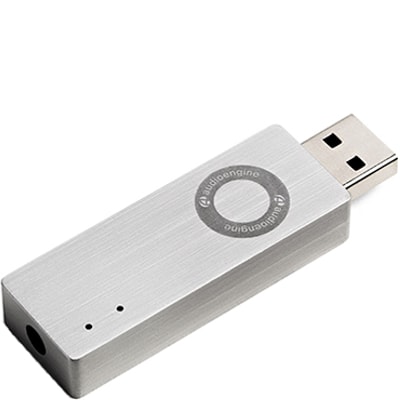
Support: DAC3 Headphone Amplifier
Questions & Answers
-
Question:
My DAC3 is connected as shown, but there is no music output.
Answer:- Verify that one of the included cables is completely plugged into the DAC3 and your source device.
- Also verify that a 3.5mm mini-jack is firmly plugged in.
- Try disconnecting and reconnecting both the USB and 3.5mm cable.
- You will see an LED light confirming the DAC3 is getting power and is connected to an output.
- Check the volume level on your source.
- If connected to a computer, verify that the DAC3 is recognized and the active output device.
- Try restarting your computer.
If none of the above helps resolve your issue, please contact our Support Team for additional assistance.
-
Question:
The output level from the DAC3 is low.
Answer:Please check that the volume control on your phone/tablet/computer is up and at a good level; 75% should be a good level. Also try adjusting the volume on the DAC3 as well.
-
Question:
Only one channel plays music.
Answer:Check the cables between DAC3 and your headphones or sound system. Also check your audio player and OS audio controls to ensure that the audio balance is centered as well.
-
Question:
I am playing HD files or streams but the DAC3 HD indicator LED is not illuminated.
Answer:Verify that the sample rate selection in your computer's OS is set correctly. Your OS's output settings will determine the color of the LED on the DAC3 -- not the specific file being played. -
Question:
A hum or buzzing sound can be heard.
Answer:Verify that the audio cable from the D3 is plugged in and in working order. -
Question:
Will my device be sufficient to power the DAC3?
Answer:The DAC3 only needs 200mA USB power to work, which most all modern source devices are capable of.
-
Question:
Dac3 General Specifications
Answer:DAC type
USB
Input
USB audio
D/A converter
ESS ES9281A PRO
USB transfer mode
Asynchronous dual clock
USB device class
Type 1.1 or above
Input bit depth
32 bit
Input sample rate
44.1kHz-96kHz native playback
188.2kHz & 192kHz re-sampled to 96kHz
Output
Analog 3.5mm mini-jack stereo
Full-scale output level
2.0V RMS
Output impedance
2 ohms
Recommended headphone impedance range
12 ohms to 10K ohms
Headphone amplifier
LME49726
Frequency response
10Hz-25KHz (+/- 0.5dB)
SNR
>116dB
THD+N
(1kHz FS 96kS/s) <0.002%
Crosstalk
-110dB
Power requirement
USB 5V DC, 200mA
USB power filtering
2-stage redundant regulation
Product dimensions
1.9” (48mm) ×0.6” (15mm) ×0.375" (10MM)
Shipping weight
1.0lbs (0.5kg)
Environmental
Operating Temperature: 32 to 95 degrees F
Non-operating Temp: -4 to 113 degrees F
Relative Humidity: 5% to 95% non-condensing
Included accessories
Lightning to USB-C and USB-C cables
Setup guide
DAC3 Internal Converter
The heart of the DAC3 is the ES9281A PRO DAC, which is well-regarded for its low noise and high fidelity. Due to the high signal-to-noise specs of the ES9281A PRO and the added benefit of double redundancy power source conversion and filtering, the DAC3 presents impressive low noise and low distortion characteristics. The DAC3 can process digital audio at any bit depth up to 32 bits and any sample rate up to 192kHz. DAC3 pads (upsampled) all bit depths internally to 32-bits, thus achieving a higher signal-to-noise ratio.
DAC3 Headphone Amplifier
The DAC3 contains a high-performance headphone amplifier based on the LME49726 low-noise opamp. This amp is able to provide low-impedance, high-fidelity audio and a 2-volt output which easily drives a wide range of headphones, satisfying even the most demanding headphone enthusiasts. The DAC3’s relay-controlled stereo output can also be connected to any system with an analog audio input, such as Audioengine powered speakers.
DAC3 Power
The DAC3 is powered directly from the USB bus and power is passed through two stages of regulation to ensure no USB bus power variations affect the audio quality. This low-noise, low-ripple power supply is located on a separate circuit board for extra isolation and thermal management.
DAC3 Volume Control
Volume for headphones and line-out is controlled directly from the DAC3 side panel. Smoothly adjust volume levels at fine increments without any undesirable noise or channel imbalance at lower volumes.