


Support: 512 Portable Wireless Speaker
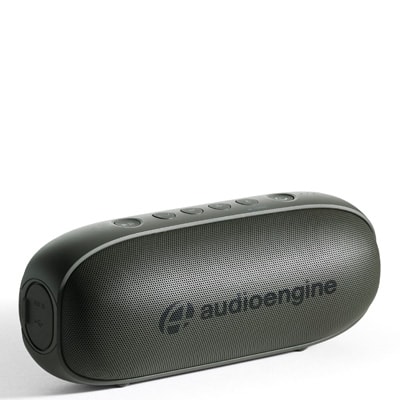
Support: 512 Portable Wireless Speaker
Questions & Answers
-
Question:
What does the button with the Bluetooth icon mean on the 512?
Answer:The Bluetooth icon button controls the speaker’s pair mode and also acts as an indicator. When the button is flashing, the speaker is currently in pair mode and open to connect to a device. If the button is solid, it means a device is currently connected to the speaker. In order to disconnect a device from the speaker, you can press and hold the button until you hear the notification that the speaker is in pair mode.
-
Question:
How can I tell how much charge my 512 has?
Answer:On the top of the 512, there are three lights that tell you how much charge the 512’s battery has. When the 512 needs to be charged (only 1 of the lights will be lit), there is a rapid succession of 5 electronic beeps or bongs that will interrupt the music before resuming it to let you know that the battery is low. It will repeat this sound periodically until it is plugged in to charge.
-
Question:
Can I pair 2 of the 512 speakers together as a left and right stereo setup with 1 source?
Answer:The 512 is not designed to function as a pair, however, depending on what source you use this may be possible! We have tested pairing some Android phones with 2 of the 512s by selecting "dual audio" in the Bluetooth settings on the phone. Some phones/sources will allow you to connect to multiple Bluetooth devices at once by doing this.
-
Question:
What does it mean if my 512 won't play music while it's charging?
Answer:The LED in the power button will remain lit when the 512 is charging, but this does not mean it is powered on. If the light is on but there is no playback, press and hold the power button and you will hear it power on, then you'll see the Bluetooth LED turn blue to indicate it is ready to connect.
-
Question:
Will the battery in my 512 drain faster if I use the mini jack input VS Bluetooth?
Answer:The battery won't necessarily drain faster, but the 512 will not go into it's "idle" mode while the mini jack is plugged in. This means the connection will stay active even if nothing is playing, so the battery is better preserved when using Bluetooth.
-
Question:
Help! My 512 won't charge up all the way! What gives?
Answer:When this happens, what we see most often is either the 512 is not getting an adequate charge or the power button has gotten stuck . To ensure efficient charging, make sure you use a 1000mA charger or higher to charge your 512.
If the power button is stuck in a depressed position, try tinkering with the power button to see if you can get it to pop back out and into place. If you can, then be sure to charge the device afterwards. While the button is stuck it will drain the battery of the 512.
-
Question:
Why does the 512 make a chime sound and drop the listening volume?
Answer:At 20% battery life the 512 notifies you with a chime and reduces the volume level to preserve battery life. When the battery is charged above 20%, it will no longer auto-reduce volume to save power.
-
Question:
Where can I find the charging cable and start up guide for the 512?
Answer:There is a cardboard insert located in the 512 box containing the manual and the micro-USB charging cable.
-
Question:
What type of battery does the 512 use?
Answer:The 512 uses a lithium-ion battery.
-
Question:
Why type of charging cable does the 512 use?
Answer:We recommend using a1000mA charger or higher with Micro USB connection to charge your 512.